
A satellite receiver is an essential device for accessing television channels and digital content. Like any electronic device, it requires proper care and maintenance to ensure long-term performance and reliability. Many users experience problems with their receivers not because of manufacturing defects, but due to improper use or lack of maintenance. By following a few practical guidelines, you can significantly extend the lifespan of your satellite receiver and maintain optimal performance.
Keep the Device Well Ventilated
One of the most important factors in preserving your receiver is proper ventilation. Electronic components generate heat during operation, and excessive heat can damage internal circuits over time. Always place your receiver in an open area where air can circulate freely. Avoid placing it inside closed cabinets or stacking other devices on top of it.
Protect from Power Fluctuations
Voltage fluctuations and sudden power cuts can seriously damage electronic devices. Using a surge protector or a voltage stabilizer helps protect your receiver from electrical spikes. This is especially important in areas where electricity supply is unstable.
Turn Off the Receiver When Not in Use
Leaving the receiver on for long hours unnecessarily increases wear on internal components. It is a good habit to turn off the device when it is not in use. This not only extends its lifespan but also reduces energy consumption.
Avoid Frequent Restarting
Constantly turning the receiver on and off within short periods can stress the internal components. Try to avoid unnecessary restarts and allow the device to operate normally unless a restart is needed.
Keep the Device Clean
Dust accumulation can block ventilation openings and cause overheating. Regularly clean the exterior of the receiver using a soft, dry cloth. Make sure that dust does not build up around vents or ports.
Update the Software Regularly
Manufacturers often release software updates that improve performance and fix bugs. Keeping your receiver’s software up to date ensures smoother operation and can prevent technical issues that may affect the device over time.
Use High-Quality Accessories
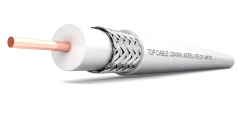
Using low-quality cables, connectors, or power adapters can negatively impact your receiver. Always use reliable and compatible accessories to ensure stable performance and reduce the risk of damage.
Avoid Overloading USB Ports
If your receiver supports external storage devices, avoid connecting too many devices at once or using incompatible drives. Overloading ports can cause system instability or hardware damage.
Place the Receiver in a Safe Location
Keep the receiver away from moisture, direct sunlight, and extreme temperatures. Exposure to such conditions can damage internal components and shorten the device’s lifespan.
Handle with Care
Avoid dropping the receiver or exposing it to physical shocks. Internal components are sensitive, and even minor impacts can lead to hidden damage that affects performance later.