
When discussing satellite TV performance, most people focus on the dish size or receiver specifications. However, one critical component is often overlooked: the coaxial cable. This cable is responsible for carrying the signal from the LNB (the unit on the dish) to the receiver inside your home. The quality of this cable can significantly affect signal strength, stability, and overall viewing experience.
Why the Cable Matters
The satellite signal travels a long path from space to your dish, and then through the cable to your receiver. Any weakness or interference along this path can reduce signal quality. A low-quality or damaged cable can cause signal loss, leading to pixelation, freezing, or even complete signal failure.
In simple terms, even if you have a perfectly aligned dish and a high-quality receiver, a poor cable can ruin everything.
Types of Satellite Cables
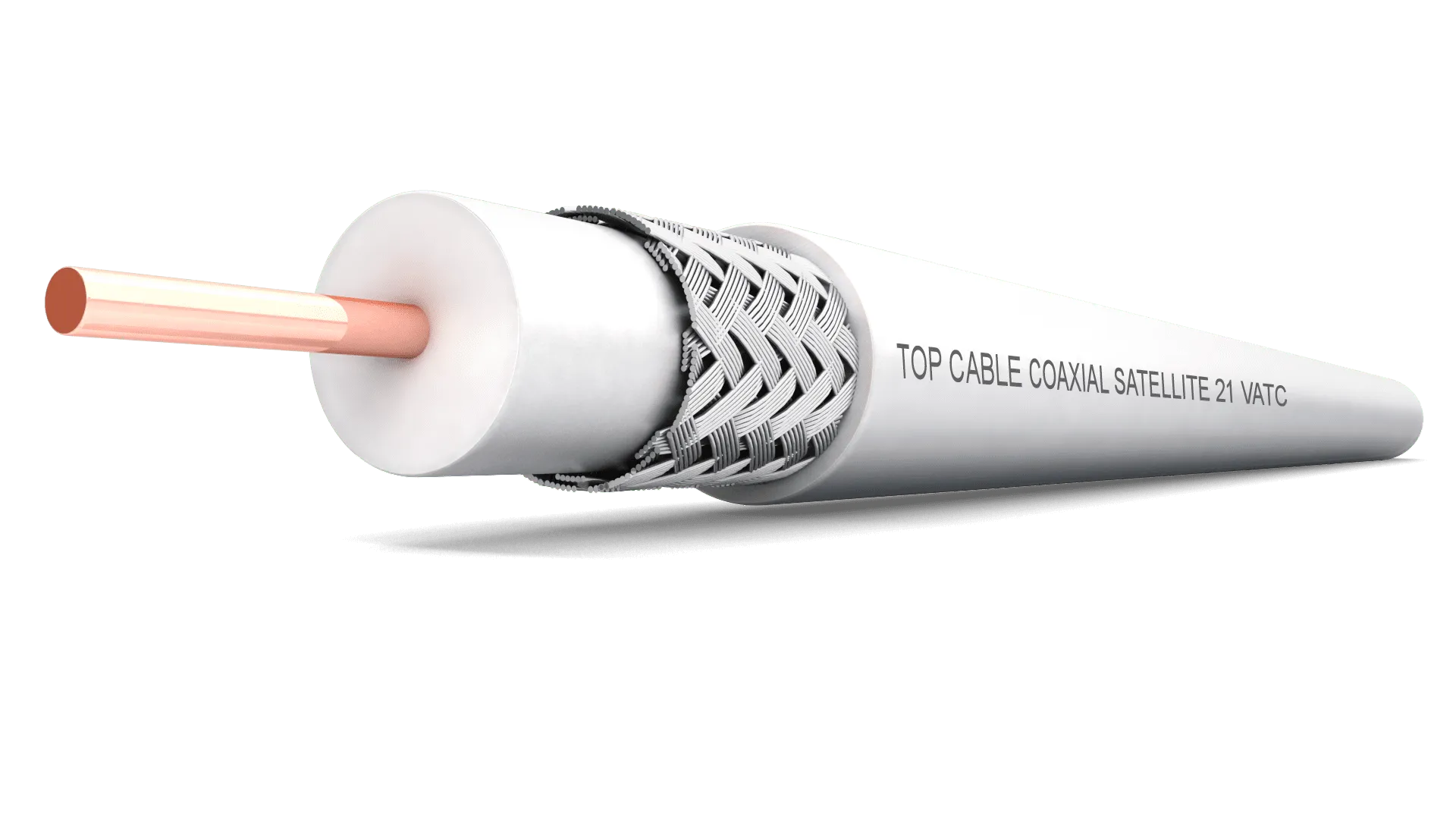
Most satellite systems use coaxial cables, and their quality can vary widely. The most common types include:
- Standard low-cost cables (often poorly shielded)
- Mid-range cables with better insulation
- High-quality cables with strong shielding and low signal loss
High-quality cables are designed to minimize signal attenuation (loss) and protect against external interference.
Key Factors That Affect Cable Performance
1. Shielding Quality
Good cables have multiple layers of shielding (such as foil and braided metal). This protects the signal from electromagnetic interference caused by nearby .
2. Cable Thickness
Thicker cables usually perform better because they reduce signal loss over long distances. Thin cables tend to degrade the signal more quickly.
3. Length of the Cable
The longer the cable, the more signal loss occurs. Using high-quality cable becomes even more important when the distance between the dish and receiver is long.
4. Material Quality
Cables made with pure copper conduct signals better than those made with cheaper materials like copper-coated steel.
5. Connectors and Installation
Even the best cable can perform poorly if the connectors are not properly installed. Loose or poorly fitted connectors can cause signal drops and noise.
Signs of a Poor-Quality Cable
You may have a cable problem if you notice:
- Frequent signal loss or weak signal warnings
- Picture freezing or pixelation
- Some channels not working while others are fine
- Signal drops during bad weather more than usual
These issues are often mistakenly blamed on the dish or satellite, while the real cause is the cable.
How to Choose the Right Cable
To ensure strong and stable reception, consider the following:
- Choose cables with high shielding (double or triple shielded)
- Use cables made of pure copper for better conductivity
- Avoid extremely cheap options
- Make sure the cable is if exposed to weather
- Keep the cable as short as possible without unnecessary extensions
Tips for Better Performance
- Avoid bending the cable sharply
- Keep it away from electrical wires when possible
- Check connectors regularly for corrosion or looseness
- Replace old or worn cables
- Use high-quality connectors and proper installation tools